Visualmed: Clinical Trials
- 4.4
- Rating
- 10.00K
- Installs
- Free
- Price

 Analysis by App-foxy
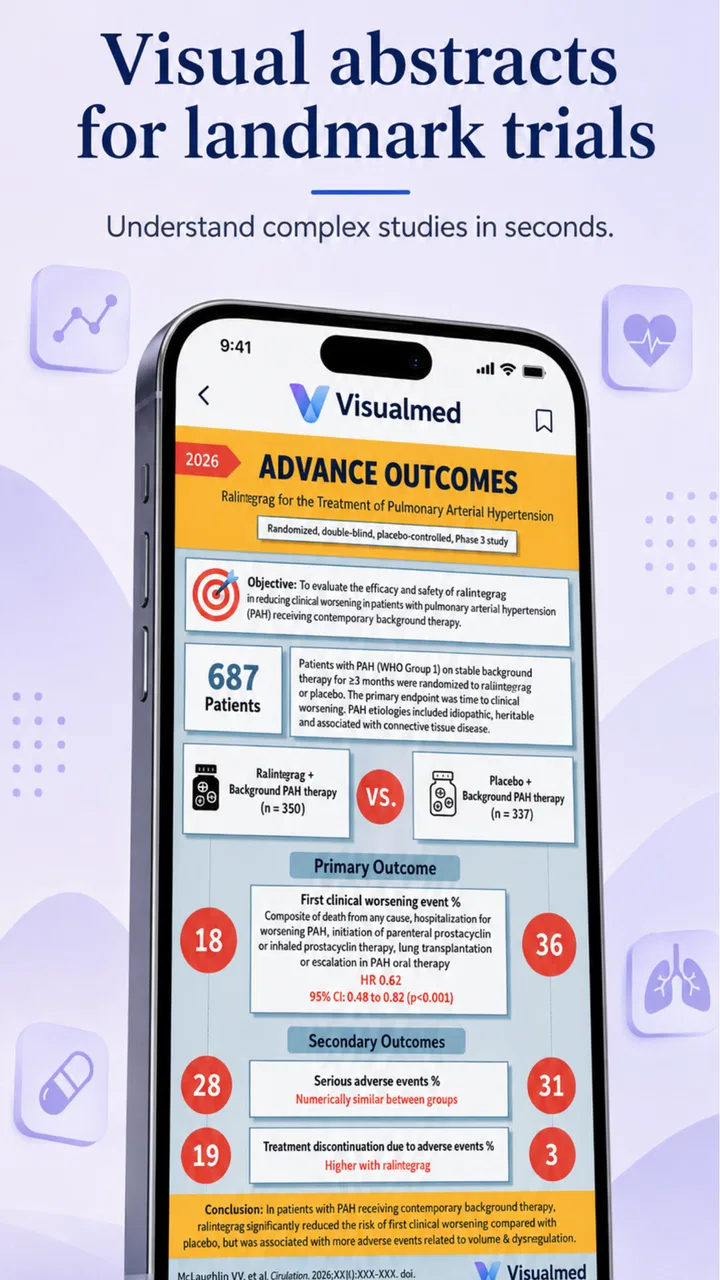
I approached Visualmed: Clinical Trials as a study companion rather than as a general medical reference. That distinction matters. This free medical app, created by Usama Nasir, focuses on visual summaries of landmark clinical trials, so its value is in helping me recognize important evidence quickly and remember why a trial matters. It is not trying to replace a textbook, a journal database, or professional clinical guidance.
My first impression was that the idea is unusually practical for revision. Clinical trials can become a blur of drug names, patient groups, outcomes, and memorable acronyms. A visual format gives those details a structure that is easier to revisit than a long block of prose. The app is especially appealing when I already know the broad medical topic but need a fast reminder of the evidence attached to it.
The listing identifies it as suitable for Everyone, and it runs on Android devices using version 6.0 or newer. It is currently version 1.12, has passed ten thousand installs, and holds a 4.4 average from 106 ratings. Those figures suggest a focused educational tool rather than a mass-market health app. I would recommend it most readily to medical students, junior doctors, exam candidates, and anyone who learns better from compact visual references.
You May Also Like

 Pandora - Music & Podcasts
Pandora’s Music Is Easy to Start, but Harder to Recover
Pandora’s strength is its low-effort path from a seed to a station. Its weak spot is how much confidence it asks you to place in connection, setup, and quiet recovery.

 8 Ball Pool
 Is Built on Rivalries, Rematches, and Routine
A close look at the rivalries, rematches, shared routines, and unanswered safety questions that turn a quick pool match into a persistent mobile community.

 Samsung Music
’s Quiet Strength Is Playing What You Already Own
Its reach comes less from spectacle than from dependable access to a personal library. That simplicity is both the app’s strongest retention engine and its ceiling.

 AccuWeather: Weather Radar
AccuWeather Review: A Quick, Clear Forecast for Everyday Decisions
For everyday plans, the best forecast is the one you can understand quickly. AccuWeather makes rain timing, radar, and local conditions easy to act on, with a few trade-offs.

 Hill Climb Racing
Why Hill Climb Racing Still Turns Crashes Into One More Run
A tiny car, a bumpy hill and one more upgrade: Hill Climb Racing keeps resurfacing because its simple chaos makes every near-miss feel personal.

 AliExpress - Shopping App
AliExpress Makes Global Shopping Feel Personal, but Shoppers Bear the Risk
AliExpress turns a global marketplace into a pocket-sized discovery engine. Its reach is useful, its shopping loop compelling, and its trade-offs easy to miss.
More From Our News Desk
View All News


Where users are most likely to get stuck
The first possible point of friction is expectation. Someone searching for a symptom checker, medication reminder, diagnosis tool, or patient-facing explanation may open this app and wonder why it feels so specialized. Its subject is clinical-trial evidence, not everyday health management. I think that is a strength when the purpose is revision, but it makes the app a poor match for casual health questions.
A second difficulty is that a visual summary can feel complete even when it is only a starting point. A chart may help me recall the population, intervention, comparison, or headline outcome, but that does not automatically provide all the context needed to judge how well the findings apply to a particular patient. I treat each summary as a memory aid and a prompt for deeper reading, never as a standalone treatment recommendation.
Navigation can also be less obvious than in a conventional article-based reference. When information is compressed into visual panels, I have to slow down and identify what each part represents instead of scanning paragraphs from top to bottom. That small adjustment is important. If I rush, I may remember the conclusion while forgetting the trial design or the group studied.
The most useful habit is to read the visual summary in a fixed order. I start with the clinical question, then look for the studied population, the intervention and comparison, and finally the main outcome. Only after that do I try to attach the trial to a disease area or examination topic. This prevents the attractive headline result from becoming detached from the conditions under which it was observed.
Why visual summaries help, and where they can mislead
For me, the strongest feature of this format is retrieval. When revising, I do not always need another full explanation of a familiar landmark trial. I need a compact cue that brings the important structure back to mind. Visual grouping can make that easier than searching through a large medical website, especially when I am revisiting several related trials in one sitting.
The trade-off is depth. A summary necessarily selects what to show. If I need detailed methods, subgroup analysis, adverse-event tables, follow-up limitations, or the exact wording of a paper’s conclusions, I would move to the original publication or a trusted clinical reference. Visualmed: Clinical Trials is better at orientation and recall than at exhaustive appraisal.
This also affects how I use it before an exam. I would not rely on it as my only source, because memorizing a visual result without understanding the underlying question can create shallow knowledge. Instead, I use it after reading a topic elsewhere. The app then works as a compact second pass: it helps me check whether I can reconstruct the trial rather than merely recognize its name.
Setup checks before blaming the app
Because the application is free to install, the initial decision is straightforward, but I still recommend checking compatibility before spending time troubleshooting. The minimum operating-system requirement is Android 6.0, so an older device may be the real reason an installation or update does not proceed. On a compatible phone, I would first make sure the operating system is current enough and that the device has room for a new medical reference app.
The app includes optional in-app purchases priced from $4.99 to $29.99 per item. That is worth keeping in mind before tapping through any purchase screen. I would explore the freely available material first and decide whether the app fits my study routine before paying for anything. The free entry point makes evaluation easy, but it does not mean every part of the experience necessarily has the same access conditions.
If the app opens but content does not appear as expected, I would begin with simple checks rather than assuming the medical material has disappeared. I would close and reopen the app, confirm that the device has a stable connection if the screen appears to depend on loading, and check whether the application is up to date. These are ordinary steps, but they separate a temporary loading problem from a genuine content or compatibility issue.
I would also avoid testing it for the first time when I am already under exam pressure. A better approach is to install it during a calm study session, open several different trial summaries, and decide how quickly I can locate the information I need. That early trial tells me whether the visual presentation suits my learning style. Some readers will find it memorable immediately; others will prefer searchable text and may feel slowed down by the graphic format.
A setup routine that makes revision easier
My preferred setup is deliberately simple. I choose one clinical theme, review a small group of relevant summaries, and write down the questions that remain unclear. I do not try to turn the app into a complete database in one sitting. The point is to create a repeatable loop: preview the evidence visually, identify gaps, then use a fuller source to resolve those gaps.
A useful test is to put the phone down after viewing a summary and explain the trial aloud in one or two sentences. If I can describe who was studied, what was compared, and what the main result meant, the app has done its job. If I can only remember colors, layout, or a dramatic conclusion, I need to return to the details and verify my interpretation elsewhere.
This method also reduces a common study mistake: confusing recognition with recall. A familiar visual can make me feel that I know a trial because it looks familiar. Reconstructing the evidence without looking is a more demanding and more useful check. I find this particularly valuable when several landmark studies address similar treatments or outcomes.
Recovering a study workflow when something goes wrong
When an app-based revision session breaks down, I try to preserve the learning objective instead of repeatedly tapping the same screen. If a summary fails to load, I move to another topic, make a note of the missing trial, and return after restarting the app. This keeps a temporary technical problem from turning into a wasted study block.
If the problem continues, I would use a cautious recovery sequence: close the application, reopen it, check the connection, and confirm that the device meets the Android requirement. I would then test whether the issue affects one summary or the whole app. That distinction is useful. A single unavailable item suggests a narrower content or loading problem, while a complete failure points more toward installation, compatibility, or device conditions.
I would be careful about clearing app data or reinstalling while relying on an unfinished revision session. Any app that stores local progress or preferences can behave differently after those actions, and there is no good reason to take that step before simpler checks. My practical rule is to record the topic I was studying first, then attempt recovery. That way, even an unsuccessful fix does not erase the plan for the day.
Another recovery technique is to change the task rather than the device. If I cannot access one visual summary, I can revise the surrounding concept using my notes and return later to test whether the missing item adds anything essential. This is especially sensible because the app is a supplement. I should never allow one screen to become the only route to understanding a major clinical topic.
Using the app without overreading the evidence
Clinical-trial summaries invite quick conclusions, so I use a small mental checklist. First, I ask what question the trial was designed to answer. Next, I identify whether the result is about benefit, harm, or both. Then I consider whether the population and setting resemble the situation I am thinking about. Finally, I ask what information the summary may have compressed.
This is not a criticism of the app; it is a limitation of the format and of memory itself. A visual overview is excellent for organizing evidence, but it cannot replace critical appraisal. If I am discussing real patient care, preparing a formal presentation, or checking a current recommendation, I would consult current professional guidance and the underlying research rather than relying on a remembered graphic.
One non-obvious advantage is that the app can expose gaps in my knowledge very quickly. If I can recognize a trial but cannot explain its comparison group or outcome, I have found a precise revision target. Instead of rereading an entire chapter, I can investigate that one missing piece. In this way, the app works less like a final authority and more like a diagnostic tool for my own understanding.
When the app is not the cause of the problem
Sometimes the real issue is a mismatch between the tool and the task. If I need a searchable catalogue of primary papers, a detailed pharmacology reference, or continuously updated treatment guidance, I would choose a different resource. Visualmed: Clinical Trials is narrower and more visual. Its focus is valuable, but that focus means it should sit alongside—not replace—more comprehensive medical references.
It is also not the right choice for someone looking for personal medical advice. A patient may find a landmark trial interesting, but the existence of a study does not determine what is appropriate for an individual. Age, diagnosis, other conditions, current medicines, and many clinical details can change the meaning of evidence. I would never use a summary from this app to start, stop, or change treatment without speaking with a qualified clinician.
Students who dislike infographic-style learning may also find the experience less efficient than a textbook or searchable notes. The app’s advantage depends on visual compression making the evidence easier to remember. If I need to search for an exact phrase or compare many details side by side, ordinary text can be faster. That is not a failure; it is a clear trade-off that should guide the choice of study tool.
There is a similar issue for users who expect a large social or collaborative learning environment. I would not approach this app expecting discussion groups, tutoring, or a full course structure. Its appeal is individual review. I open it when I want a focused encounter with clinical-trial evidence, not when I need a guided curriculum from beginner level to advanced practice.
Who will get the most from it
I see the best fit in learners who already have some medical background and want a faster way to revisit landmark evidence. A student preparing for a test can use it after a lecture. A junior clinician can use it as a prompt before reading a paper in more detail. A teacher could use a visual summary to start a discussion about trial design, provided the class then examines the original evidence and its limitations.
A realistic everyday scenario would be a short study break between hospital tasks or lectures. I might choose one topic, review a summary, and then write three lines: the clinical question, the studied group, and the practical meaning of the result. That takes less commitment than opening a full paper, while still giving me a structured way to decide whether I need deeper reading later.
The app is less suitable for a complete beginner who has not yet learned basic medical terminology. Visual compression saves time once the concepts are familiar, but it can hide the explanation a beginner needs. In that situation, I would start with an introductory textbook or teaching resource, then return to the app when the trial summaries have enough context to be meaningful.
My practical verdict after using it as a study companion
I like Visualmed: Clinical Trials because it has a clear job and generally stays close to that job: making important clinical-trial evidence easier to review visually. The developer, Usama Nasir, has positioned it as a focused medical learning app rather than an all-purpose health service. With a free price, an Everyone content rating, and a current version of 1.12, it is easy for an eligible Android user to try without a large commitment.
My recommendation comes with boundaries. I would use it for recall, orientation, and identifying gaps in my understanding. I would not use it as my only medical reference, as a substitute for primary research, or as personal treatment advice. I would also check the Android requirement and explore the accessible material before considering the optional purchases, which range from $4.99 to $29.99 per item.
The strongest way to use it is in a two-stage workflow: first, let the visual summary rebuild the outline of a landmark trial; second, verify the details in a fuller source when the decision or assignment demands precision. That approach turns the app’s compactness into an advantage without pretending that compactness equals completeness.
Overall, I would recommend it to medical learners who want a visual refresher and are comfortable treating summaries as starting points. I would skip it if my priority were patient guidance, exhaustive literature searching, or a fully structured course. For the right reader, though, it can make the recurring task of revisiting clinical evidence feel more manageable—and it gives me a practical way to notice exactly what I still need to learn.
FAQs for Visualmed: Clinical Trials
01What is Visualmed: Clinical Trials used for?
Visualmed: Clinical Trials is an educational medical app designed to help users review clinical trial concepts through visual explanations, summaries, and structured learning material. It may be useful for medical students, healthcare professionals, researchers, and anyone interested in evidence-based medicine. The app is intended for learning and reference, not for diagnosing conditions, selecting treatments, or replacing advice from a qualified healthcare professional.
02Who can benefit from using Visualmed: Clinical Trials?
The app can be helpful for students and professionals who want a more accessible way to understand clinical research, trial design, medical evidence, and related terminology. Its visual approach may make complex subjects easier to review, especially when preparing for exams or refreshing knowledge. However, users should consider their own level of medical training and verify important information with current textbooks, guidelines, and peer-reviewed sources.
03Does Visualmed: Clinical Trials provide reliable medical information?
Visualmed: Clinical Trials can serve as a convenient educational reference, but medical knowledge and clinical recommendations change over time. Before relying on any explanation for academic, research, or professional decisions, users should check the app’s content against trusted sources such as official guidelines, regulatory agencies, university materials, and current scientific publications. The app should complement, rather than replace, formal education or professional clinical judgment.
04Can Visualmed: Clinical Trials be used to make patient-care decisions?
No. The app should not be used as the sole basis for diagnosing a patient, prescribing medication, interpreting an individual’s test results, or deciding whether a treatment is appropriate. Clinical decisions require a complete patient history, examination, specialist knowledge, and up-to-date evidence. If you are a patient, discuss medical concerns with a licensed healthcare professional instead of relying on information presented in an educational app.
05Is Visualmed: Clinical Trials suitable for beginners, and does it require internet access?
The app may be suitable for beginners who want an introduction to clinical-trial concepts, although some medical terminology and research principles may still require additional explanation. Whether all features work offline depends on the version installed and how its content is delivered. Users should check the current store listing for device compatibility, language support, pricing, advertisements, in-app purchases, privacy details, and internet requirements before downloading.
Pros
- Useful visual summaries make complex clinical trials easier to understand.
- Covers trial concepts
- terminology
- and procedures in a learner-friendly format.
- Helpful reference for students and healthcare professionals reviewing trial basics.
- Concise lessons support quick study sessions on mobile devices.
- Can improve understanding of research design and evidence-based medicine.
Cons
- Content may not reflect the latest clinical-trial regulations or guidelines.
- Advanced researchers may find the explanations too introductory.
- Some topics may require additional textbooks or official research sources.
- Visual learning alone may not provide enough practical trial experience.
- Availability and quality of content may vary across different app versions.

Visualmed: Clinical Trials
Gallery